Create backup
Create backup
In this section, we will create an On-demand backup.
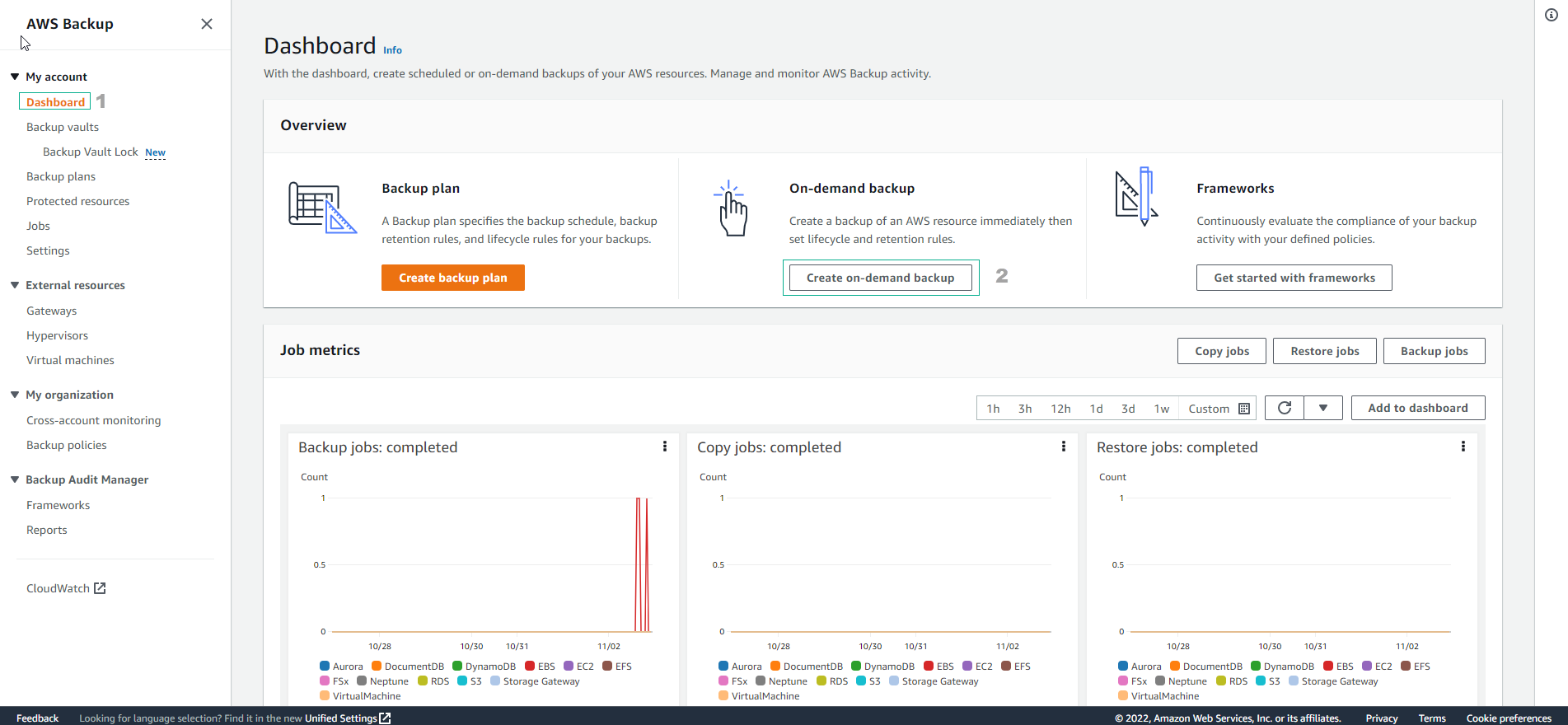
- Access the AWS Backup console.
- Select Create on-demand backup
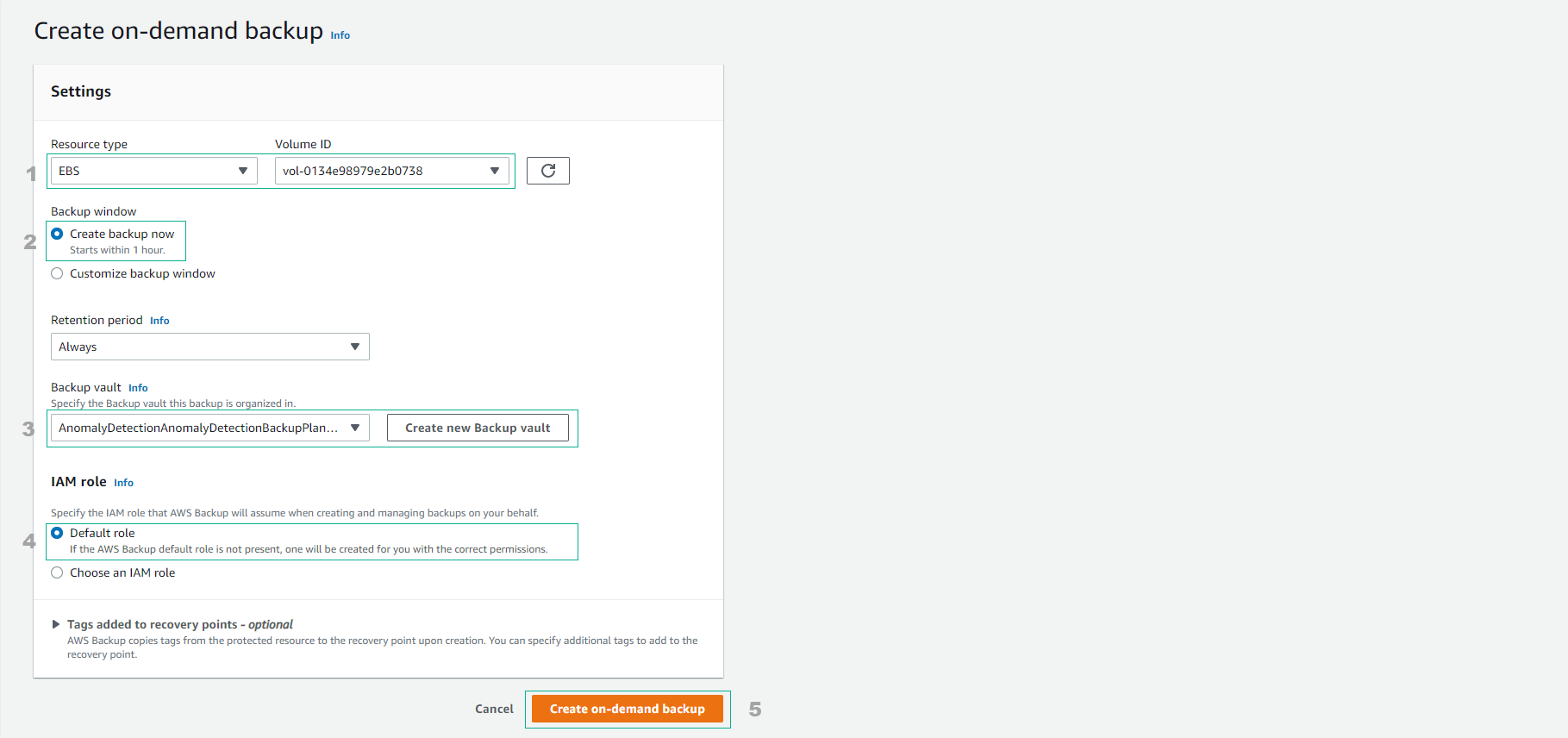
Complete the information to create a backup
- For Resource type, select EBS
- Select the created Volume ID.
- Then, set the Backup window to Create backup now (Starts within 1 hour after creation).
- Select Always for Retention period
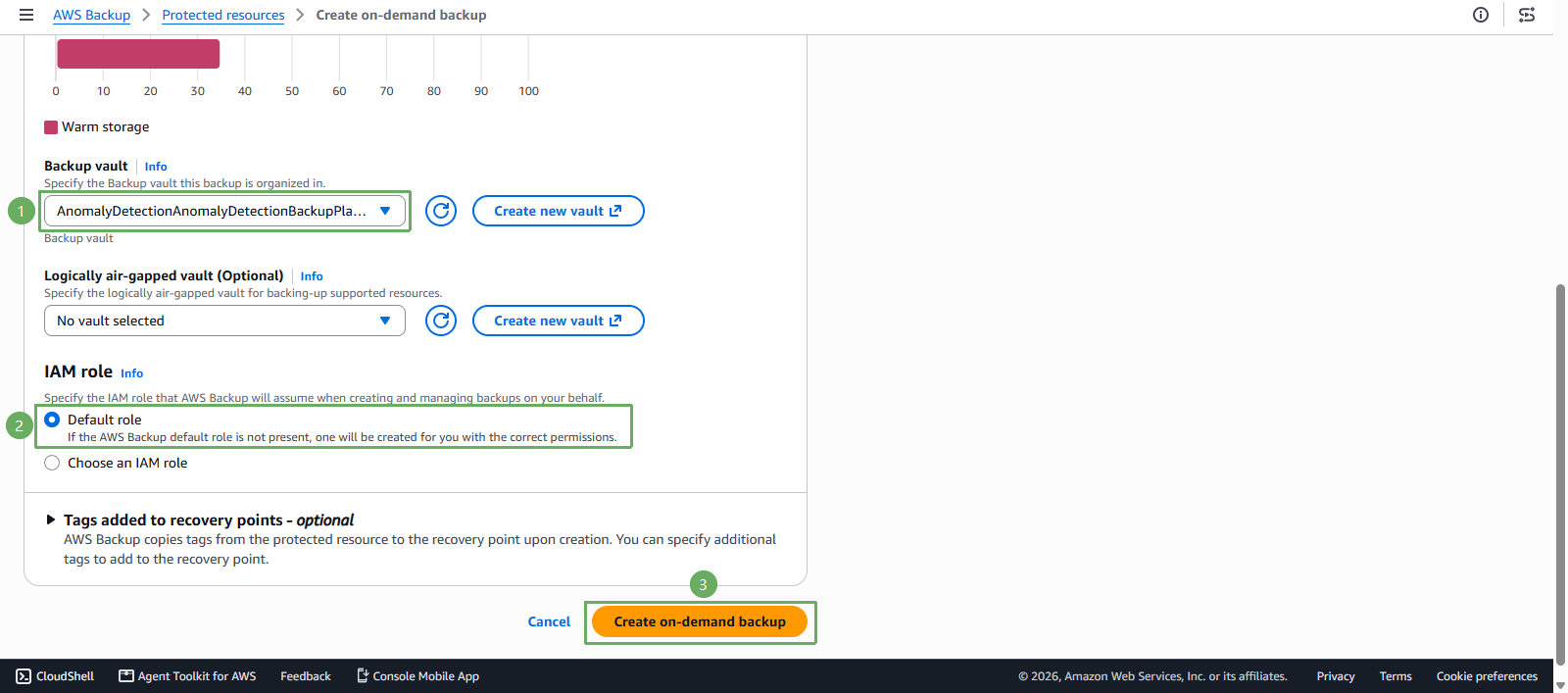
- Select the created Backup vault.
- Use the default IAM role.
- Select Create on-demand backup
- You will see that the backup job is in the Running status.
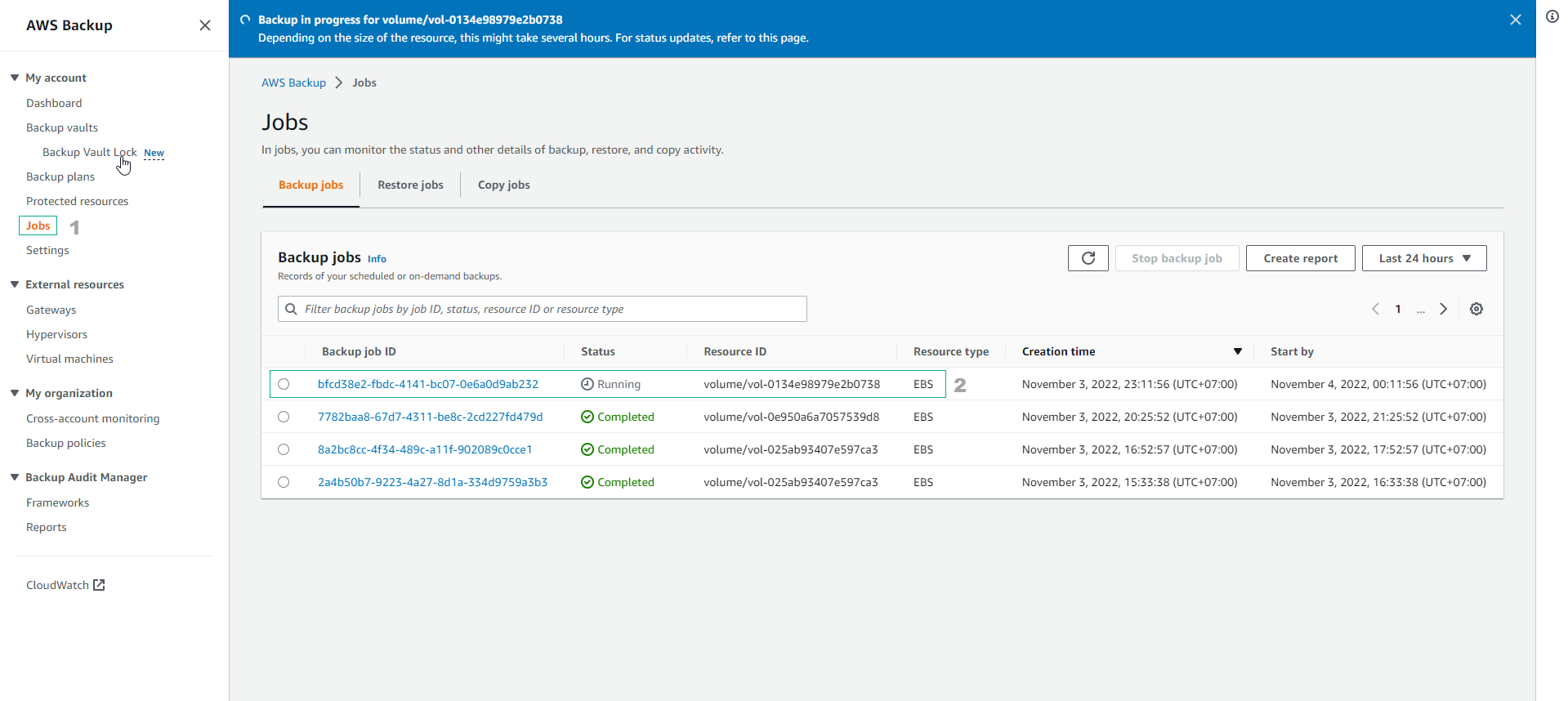
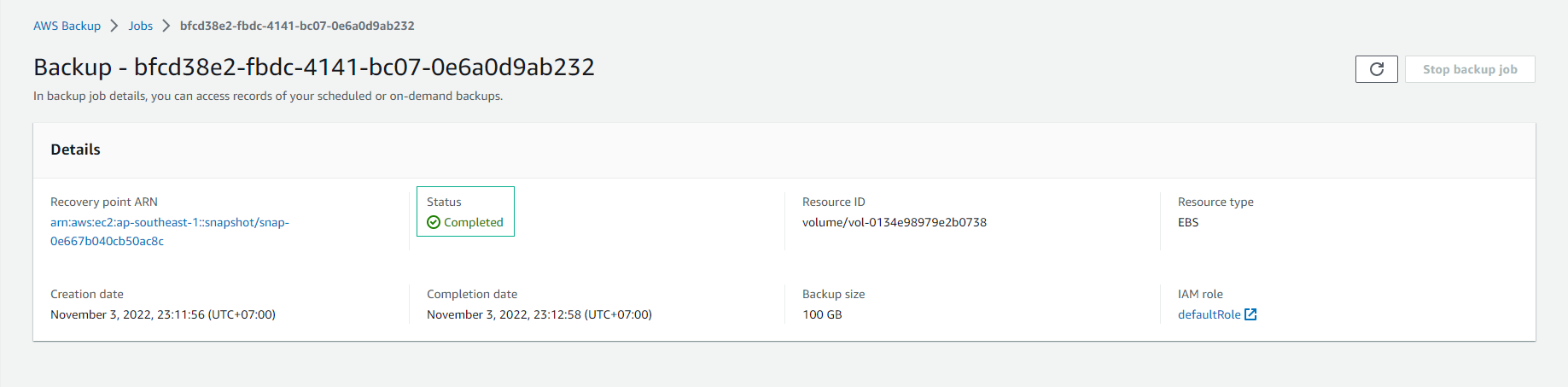
- View backup job details.
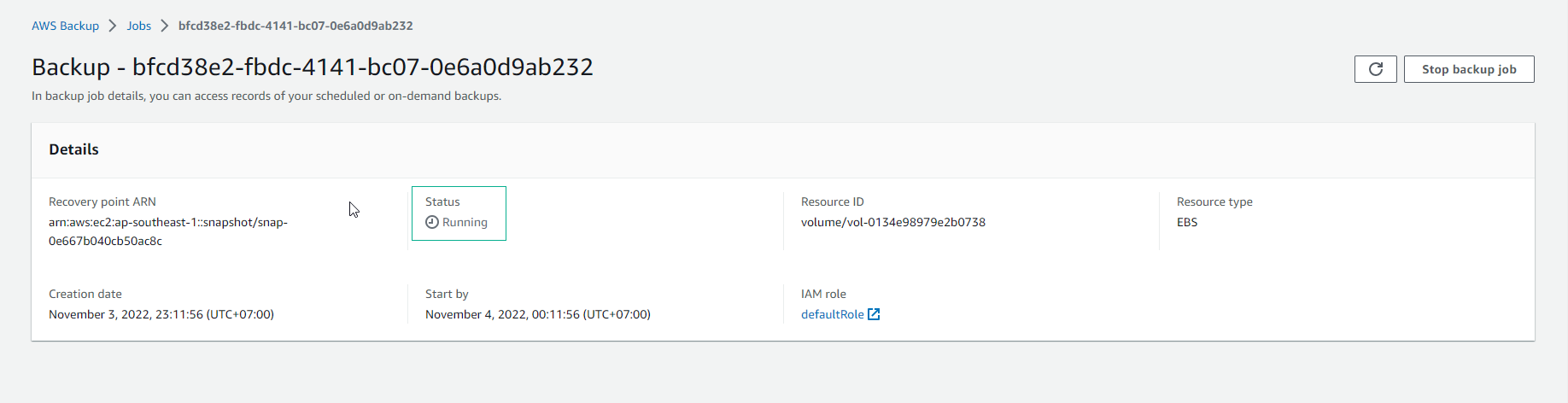
- About 5 minutes later, the backup job will be completed.